Teachable Review for Course Creators: 5 Powerful Features & Pricing Guide
The Platform Challenge for Course Creators
Building and selling online courses has become one of the most common ways for creators, coaches, and consultants to monetize expertise. However, the technology required to run a course business can quickly become complicated.
Many course creators start with a simple setup but eventually realize they need multiple systems to run their business efficiently. These systems often include:
- course hosting platforms
- payment processing tools
- student management software
- affiliate marketing tools
- digital product delivery systems
Managing several platforms simultaneously can slow down operations and create unnecessary technical problems.
As a result, creators begin searching for a platform that allows them to build, sell, and manage courses from a single dashboard.
Teachable is one of the most widely used course platforms built to solve this problem.
This teachable review for course creators examines whether Teachable provides the infrastructure needed to launch and scale a digital course business.
In this review, we will cover:
- course hosting capabilities
- checkout and payment systems
- affiliate program features
- teachable pricing tiers
- pros and limitations
- which creators benefit most from the platform
The goal is to help course creators make an informed decision before investing in the platform.
Teachable Review for Course Creators: Platform Overview
Teachable is an online platform designed to help creators build and sell digital courses, coaching programs, and downloadable products.
The platform focuses on simplifying the technical side of selling education products online.
Teachable allows creators to manage several key aspects of their business in one place, including:
- course hosting
- student enrollment
- digital product delivery
- checkout and payments
- affiliate marketing programs
This combination allows course creators to launch and manage educational products without requiring advanced technical knowledge.
Teachable is commonly used by:
- educators launching online courses
- coaches selling training programs
- consultants selling educational content
- creators building digital learning businesses
For creators researching multiple platforms before choosing a course host, it can be helpful to explore the broader ecosystem of AI course creation tools for coaches that support digital program delivery and course development.
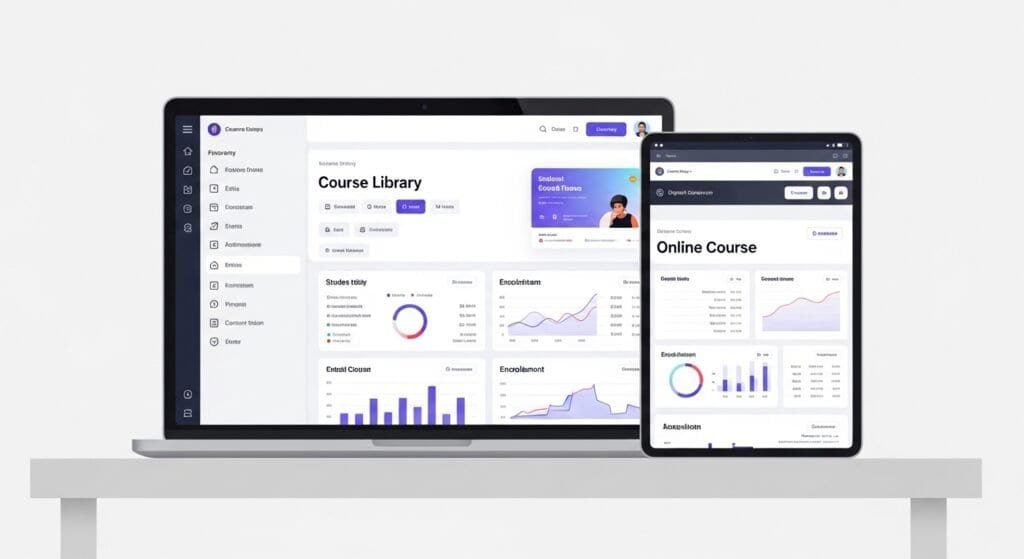
1. Teachable Platform Comparison
Before diving deeper into features, it helps to compare Teachable with other common course platforms.
| Platform | Course Hosting | Checkout System | Affiliate Tools | Digital Downloads | Starting Price |
|---|---|---|---|---|---|
| Teachable | Yes | Yes | Yes | Yes | $29/month |
| Kajabi | Yes | Yes | Yes | Yes | $149/month |
| Thinkific | Yes | Yes | Limited | Yes | $49/month |
| Podia | Yes | Yes | Yes | Yes | $39/month |
Teachable focuses heavily on course infrastructure and payment management, making it particularly attractive to creators launching their first online course.
2. Course Hosting Infrastructure
One of the core strengths of Teachable is its course hosting system.
The platform allows creators to organize their educational content into structured courses that students can access through a dedicated learning dashboard.
Courses are typically structured using:
- modules
- lessons
- video lectures
- downloadable resources
- quizzes
This structure makes it easier for students to navigate course materials and track their progress.
Teachable also supports several types of course content including:
- video lessons
- PDFs and documents
- presentations
- downloadable files
For creators who plan to sell multiple types of digital products alongside courses, it may also be useful to explore platforms designed for digital assets such as AI digital product creation tools for consultants, which help creators develop and distribute digital products more efficiently.

3. Student Management Tools
Managing students is an important part of running a successful online course business.
Teachable includes several tools designed to help creators manage student enrollment and progress.
Student management features include:
- student enrollment tracking
- progress monitoring
- student data dashboards
- course completion tracking
These tools allow creators to understand how students are interacting with their courses and where improvements may be needed.
In addition, Teachable provides communication tools that allow instructors to send updates and course announcements directly to enrolled students.
4. Checkout and Payment Systems
One of Teachable’s strongest features is its integrated checkout and payment infrastructure.
Many course creators struggle with payment integrations when launching digital products, but Teachable simplifies this process by providing built-in checkout functionality.
Key checkout features include:
- customizable checkout pages
- payment processing through Stripe and PayPal
- one-time payments
- subscription payments
- payment plans
These payment options allow course creators to design flexible pricing models for their courses.
For example, a course creator may offer:
- a one-time course purchase
- a monthly subscription
- a payment plan spread across several months
Having these options built directly into the platform simplifies the purchasing experience for students.

5. Affiliate Marketing Tools
Affiliate marketing is a powerful growth strategy for digital course businesses.
Instead of relying only on advertising or organic marketing, course creators can recruit affiliates who promote their courses in exchange for a commission.
Teachable includes built-in affiliate program management tools.
These tools allow creators to:
- recruit affiliates
- assign commission percentages
- track affiliate sales
- generate affiliate dashboards
Affiliate partners receive unique referral links that track conversions and sales.
Creators who plan to build large affiliate networks may also want to explore specialized platforms like AI affiliate program tools for consultants, which provide deeper analytics and partner management features.
Teachable Pricing Structure
Pricing is one of the most important factors for course creators when choosing a platform.
Teachable offers several pricing tiers depending on the size and needs of the course business.
| Plan | Monthly Price | Transaction Fees | Best For |
|---|---|---|---|
| Starter | $29/month | 7.5% | New course creators |
| Builder | $69/month | 0% | Growing course businesses |
| Growth | $139/month | 0% | Established creators |
Starter Plan
The Basic plan is designed for creators launching their first online course.
It includes essential features such as:
- course hosting
- checkout pages
- digital downloads
- email integrations
However, the Basic plan includes transaction fees on each sale.
Builder Plan
The Pro plan removes transaction fees and unlocks several advanced features.
These include:
- affiliate marketing tools
- advanced reporting
- course completion certificates
Many course creators upgrade to this plan once their business begins generating consistent sales.
Builder Plan
The Pro+ plan is designed for larger creator businesses managing multiple courses and students.
It includes expanded reporting features and higher limits on student enrollments.
Pros of Teachable
Beginner-Friendly Platform
Teachable is widely known for being easy to use.
Creators can launch their first course without needing advanced technical knowledge.
Built-In Payment System
The platform simplifies payment processing by integrating checkout and payment systems directly into the platform.
This eliminates the need for complicated payment integrations.
Affiliate Program Tools
Teachable makes it easy for creators to build and manage affiliate programs that help promote their courses.
Digital Product Support
In addition to courses, Teachable supports digital downloads and educational resources.
This allows creators to sell multiple types of digital products.
Cons of Teachable
Limited Marketing Tools
Compared with some other platforms, Teachable focuses primarily on course infrastructure rather than marketing automation.
Basic Website Customization
Although creators can build landing pages, customization options are more limited compared to full website builders.
Transaction Fees on Lower Plans
The Basic plan includes transaction fees, which can impact profitability for creators with higher sales volume.
Who Should Use Teachable
Teachable works best for creators focused on selling structured online courses.
The platform is particularly useful for:
Beginner Course Creators
New creators benefit from Teachable’s simple interface and straightforward course-building process.
Coaches Selling Educational Programs
Coaches who deliver structured training programs can use Teachable to organize educational materials for their clients.
Consultants Monetizing Expertise
Consultants can use Teachable to package expertise into digital training programs and downloadable educational products.
Who Should Not Use Teachable
Teachable may not be the best option for every digital creator.
It may not be ideal for:
- creators needing advanced marketing funnels
- businesses requiring complex automation systems
- creators who want extensive website customization
In these cases, platforms designed specifically for marketing automation may be more suitable.
Which Platform Should You Choose?
Choosing a course platform depends largely on the structure of your business.
Teachable works best for creators who want a simple and reliable course hosting platform with built-in payment systems.
If your main goal is launching and selling digital courses without dealing with technical complexity, Teachable provides a strong foundation.
However, creators who require advanced marketing automation or funnel infrastructure may need additional tools alongside the platform.
Frequently Asked Questions
1. Is Teachable good for course creators?
Yes. Teachable is widely used by educators and creators who want an easy way to host and sell digital courses.
2. Does Teachable support digital downloads?
Yes. Creators can sell downloadable resources such as PDFs, templates, and guides alongside their courses.
3. How much does Teachable cost?
Teachable pricing starts at $39 per month, with higher plans offering additional features and no transaction fees.
4. Does Teachable include affiliate tools?
Yes. Teachable includes built-in affiliate program tools that allow creators to recruit partners who promote their courses.
5. Is Teachable beginner friendly?
Yes. Teachable is considered one of the most beginner-friendly course platforms available today.
Final Verdict
Teachable remains one of the most popular platforms for launching online courses.
Its combination of course hosting, checkout infrastructure, affiliate marketing tools, and student management systems makes it a strong option for creators building educational businesses.
While it lacks some advanced marketing automation features found in other platforms, Teachable excels at what it is designed to do: helping creators build and sell digital courses efficiently.
For creators who want a reliable platform focused on course delivery and payment infrastructure, Teachable continues to be one of the most practical options available today.
Disclaimer
The information provided in this article is for educational and informational purposes only. While we aim to keep content accurate and up to date, software features and availability may change over time. Some links on this page may be affiliate links, meaning we may earn a commission if you purchase through them at no additional cost to you. Always evaluate tools based on your specific business needs before making a decision.